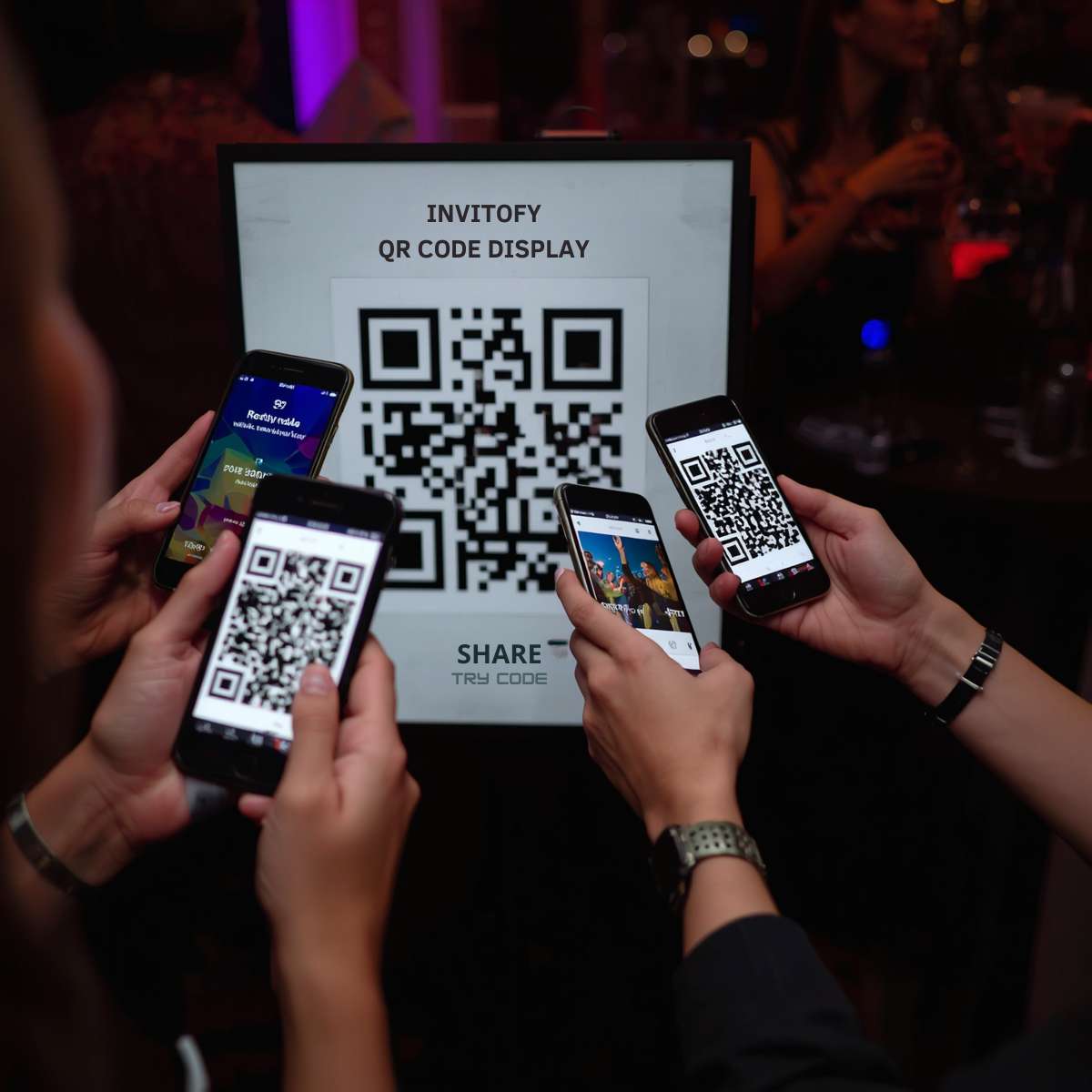
QR code photo upload gives your guests one tap to contribute to your event gallery. Instead of collecting photos through WhatsApp threads, text chains, and email attachments after the event, your guests scan a printed code, log in with their phone number and a PIN, and upload directly. Every photo and video lands in one private gallery that only you control.
Invitofy includes this feature free on every event you create. You do not need a third-party app, a cloud storage subscription, or any technical setup. Enable it from your event dashboard, print the QR code, and your guests have everything they need.
Why Guest Photos Scatter After Events
Most event organisers face the same problem. Your photographer covers the formal moments. Your guests capture everything else: the candid laughs, the speeches from the back of the room, the table decorations, the cake cutting from six different angles. Those photos live on 50 different phones.
Asking guests to share by WhatsApp or email means days of chasing, compressed images, duplicate uploads, and half your guests never sending anything. A digital event management approach solves this by bringing photo collection into the same system where guests already interacted with your invitation.
According to Pew Research, 85 percent of adults own a smartphone. The photos from your event are already on those phones. The only barrier between you and those photos is a frictionless way to collect them.
How QR Code Photo Upload Works on Invitofy
Invitofy's photo gallery runs on a straightforward two-step model. You enable the gallery for your event and display the QR code. Your guests scan it, authenticate with their phone number and PIN, and start uploading. You see every upload in real time from your private media manager.
Enable the Gallery in Under a Minute
Open your event on Invitofy and go to the Photo Gallery section. Toggle the gallery on and a unique 6-digit PIN generates automatically. This PIN links to your specific event, so guests from one event cannot access another event's gallery even if they know the link exists.
Download the QR code as a PNG and add it to your event signage, table cards, or printed programmes. You can also share the direct login link via WhatsApp or SMS to guests before the event so they are ready to upload from the moment they arrive. See how to send event links via WhatsApp for the full approach.
Guests Scan, Log In, and Upload
Your guest opens their phone camera, points it at the QR code, and taps the link that appears. They enter the phone number you stored in your guest list and the PIN displayed at the venue. The whole login takes under 15 seconds.
Once logged in, they see the shared gallery for your event. They upload photos and videos from their camera roll or take new ones on the spot. Every upload appears in the gallery for all guests to view. There is no app download, no account creation, and no friction between a guest and their contribution.

What Your Guests Can Upload
Invitofy accepts JPEG, PNG, and HEIC photos as well as MP4 and MOV video files. This covers every phone type, including iPhones that shoot in HEIC format by default. Uploads go straight to the event's private gallery and nothing gets shared publicly or indexed by search engines.
The gallery displays all media in a shared view that every logged-in guest can browse. Guests see who uploaded each photo. This turns the gallery into a live, collaborative event memory that builds throughout the night. By the time the event ends, you already have hundreds of photos in one place without asking anyone for anything.
Each event has a configurable storage limit to keep things manageable. The default is 2 GB per event, which holds hundreds of photos and several hours of video at typical mobile quality. You can adjust this limit per event from your dashboard if you need more space for a large gathering.
Your Private QR Code Photo Upload Media Manager
The event owner gets a private media manager link that requires no Invitofy login. This link is unique to your event and should not be shared with guests. From the media manager you can view every upload, see who uploaded it, and manage the entire gallery.
Sort, Rename, and Rotate
Sort all uploads by date uploaded, file name, file size, media type, or uploader name. This makes it easy to find photos from a specific guest or review everything in chronological order. Click any photo to open the full-size lightbox with navigation arrows and keyboard controls for quick browsing.
Rename files before downloading to keep your archive organised. Each photo shows the original file name alongside the uploader's name and upload timestamp. If a photo is rotated incorrectly, rotate it clockwise or counter-clockwise directly in the browser. The thumbnail updates automatically after rotation.
Download and Delete
Download any individual file with one click. The file saves with the original name so your local folder stays clean. Delete any photo or video you do not want to keep, with a confirmation prompt before anything is removed. Deleted files are removed permanently from the server.
Full control over your event's digital photo collection sits in one place, accessible from any browser on any device using your private link. You do not need to be logged into Invitofy to use it.
QR Code vs Direct Link: Two Ways to Share
Invitofy gives you both options and they work together. The QR code photo upload link works best for printed materials: table cards, welcome boards, photo booth signs, and event programmes. Guests scan it at the venue without typing anything.
The direct link suits guests you want to reach before they arrive. Send it via WhatsApp or SMS with the PIN and they can log in from home or on the way to the event. Both methods lead to the same gallery, and your guests can use whichever works for them in the moment.
Security and Privacy Controls
Every upload is authenticated. A guest must have a valid phone number in your guest list and the correct PIN to access the gallery. Anonymous uploads are not possible. This prevents strangers from adding unwanted content to your event if the QR code gets photographed or shared unintentionally.
According to Wikipedia's overview of QR codes, QR codes themselves carry no authentication. Invitofy adds PIN-based authentication on top of the QR link so scanning the code alone grants nothing without the correct guest credentials.
Files are served through an authenticated request handler. Direct file URLs produce a 403 error. Every file request checks that the requester is either a logged-in guest for that specific event or the event owner using the private media manager token. Nothing in the upload folder is publicly accessible.
You can set an expiry date on the gallery. After that date, guests can no longer log in or upload, even with the PIN and QR code. You can also disable the gallery entirely at any time while keeping all existing uploads safe in your media manager.
QR Code Photo Upload vs Other Solutions
Most organisers reach for familiar tools when they need guest photo sharing. Those tools have real drawbacks that an event-specific QR code photo upload system avoids entirely.
vs Google Drive or Dropbox
Shared Drive folders are either open to anyone with the link or require guests to have a Google account. Open links mean anyone can see or delete files. Account requirements block guests who do not use Google. Neither platform connects to your guest list for authentication or links to your invitation workflow.
Invitofy uses your existing guest data for login, keeps the gallery private by default, and requires no account from your guests beyond the phone number and PIN you already manage in your event dashboard.
vs Private Facebook Groups
Facebook groups require every guest to have a Facebook account, accept a join request, and navigate a social platform to upload. For older guests or guests in countries where Facebook is less common, this creates real barriers. Photo quality also suffers because Facebook compresses uploads aggressively.
Invitofy stores original-quality files, requires no social account, and keeps photos under your control rather than inside a platform you do not own. For a broader view of digital event tools, the guide on tracking RSVPs online covers the full picture.
A Growing Market That Needed a Better Solution
The global events industry generates over $1 trillion annually according to Statista's events market data. Weddings, corporate gatherings, private celebrations, and cultural festivals all share one common gap: no standard way for guests to contribute their photos back to the organiser.
Smartphone camera quality has grown dramatically over the past decade. The average guest at a 2026 event carries a device capable of shooting 48-megapixel photos and 4K video. That represents enormous creative value that organisers routinely lose because there is no simple collection mechanism at the venue.
Existing tools were built for different problems. Google Drive was built for document sharing. Facebook Groups were built for social networking. WhatsApp was built for messaging. None of them were designed for authenticated, event-scoped, real-time guest photo collection at a physical venue. That gap is exactly what the Invitofy photo gallery fills.
Professional event photographers typically deliver 400 to 800 edited images from a wedding. Guests at the same wedding collectively shoot thousands. A centralised QR code photo upload system captures that wider creative output and gives it back to the couple or host in an organised, manageable gallery rather than scattered across dozens of phones that will never be accessed again.
How Invitofy Solves What Others Cannot
Invitofy built the photo gallery as a native extension of its invitation and guest management platform. This is the key difference from standalone photo collection apps. Your guest list already exists in Invitofy. The phone numbers are already stored. The PIN links directly to your event data.
This means authentication requires zero additional setup from you. You do not create a separate account on a photo platform, import your guests again, or configure access permissions manually. You toggle one setting and the system uses the data you already entered when you built your invitation.
The result is an end-to-end event management flow: invite guests, track RSVPs, collect photos on the night, manage your gallery after the event. Everything connects. Nothing requires switching between unrelated apps or manually exporting data between platforms.
Works for Every Event Type
The photo gallery feature fits any gathering where guests bring phones and make memories. Weddings, birthday parties, baby showers, corporate events, school reunions, holiday parties, engagement celebrations, and cultural festivals all benefit from centralised guest photo collection.
For corporate events, the media manager lets your team review uploads and curate a final album for company records or internal communications. For weddings, you end up with a full record of your day from dozens of perspectives, not just the official photographer's shots. For birthday parties, parents collect every photo of the birthday child in one place without sending a group chat request to 30 people.
The feature scales to your event size. Small gatherings with 10 guests and large events with 300 guests use the same system. The storage quota and PIN-based access keep everything manageable regardless of scale.
Start Collecting Photos at Your Next Event
Your guests already carry everything you need. Every phone at your event is a camera and a potential contributor to your event photo gallery. QR code photo upload removes every barrier between those photos and your collection.
Enable the gallery on your event, print the QR code, share the PIN, and let guests do the rest. After the event, open your private media manager to sort, rename, rotate, download, and curate your final digital photo collection. No chasing, no compression, no scattered threads across multiple apps.
Create your free Invitofy account and enable the photo gallery on your next event. The full setup takes under two minutes.